

Customers
Customers and their domains
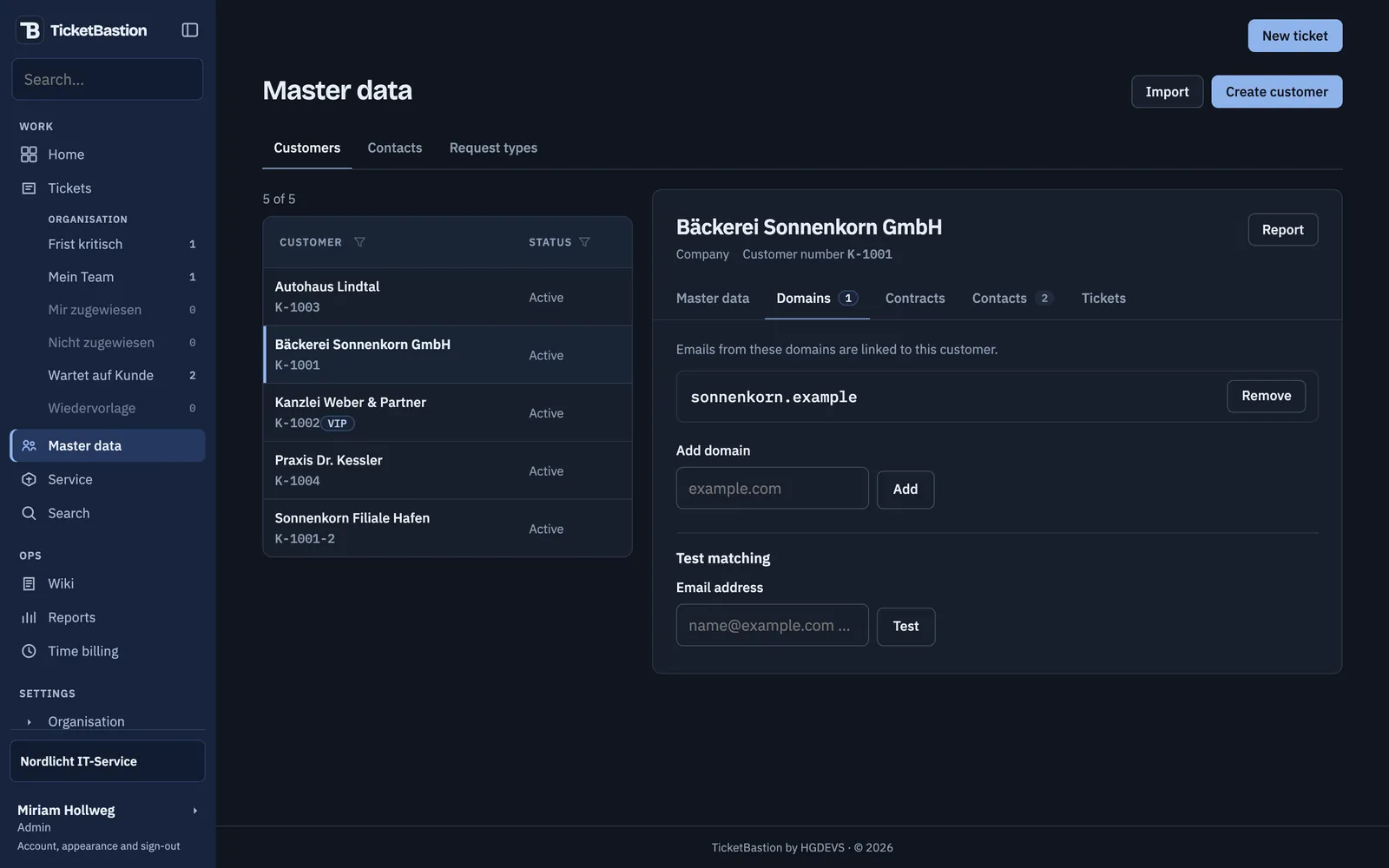
Every customer keeps a list of domains. Emails from there go to that customer, even from a new sender. Branches sit under their parent company, with their own contracts and contacts.
Ticket system for IT service providers
TicketBastion fetches the mail from your support mailboxes, recognises the customer by the sender's domain and sets the deadline from their SLA. Reply, working time and the affected device sit on the same ticket, and your customer sees the status in the portal.
€5 per technician per month, excluding VAT. Every feature.
14 days, no payment details. The trial ends on its own.

How it works
IMAP · SMTP · OAuth2About once a minute TicketBastion collects new emails from every mailbox, over classic IMAP or from Exchange Online with OAuth2.
@sonnenkorn.example → Bäckerei SonnenkornThe sender's domain decides the customer. An unknown sender still gets a ticket, just without a customer.
Response · ResolutionThe customer's SLA sets the response and resolution deadlines. The sender receives an acknowledgement with the ticket number.
ticket+4.<token>@…You reply from the ticket. The customer's answer finds its way back through a token in the reply address, never through the subject line.
45 min · billableWorking time is logged on the ticket and, once approved, handed to time tracking, currently Clockodo.
Features
Customers
Every customer keeps a list of domains. Emails from there go to that customer, even from a new sender. Branches sit under their parent company, with their own contracts and contacts.
SLA
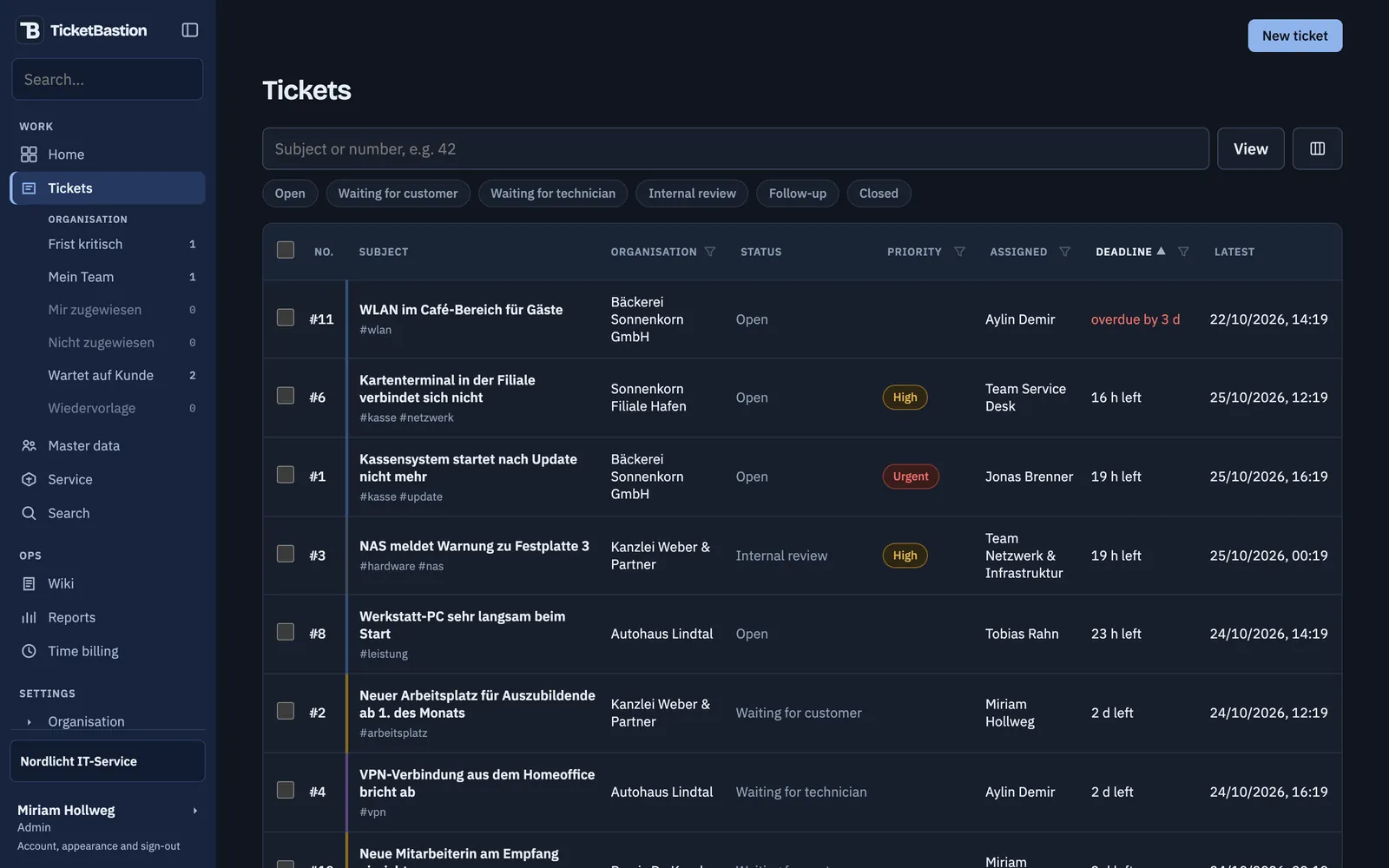
Response and resolution deadlines come from the customer's SLA profile. The list sorts by deadline, overdue tickets show at the top in red. Saved views such as “Deadline critical” keep count.
Customer portal
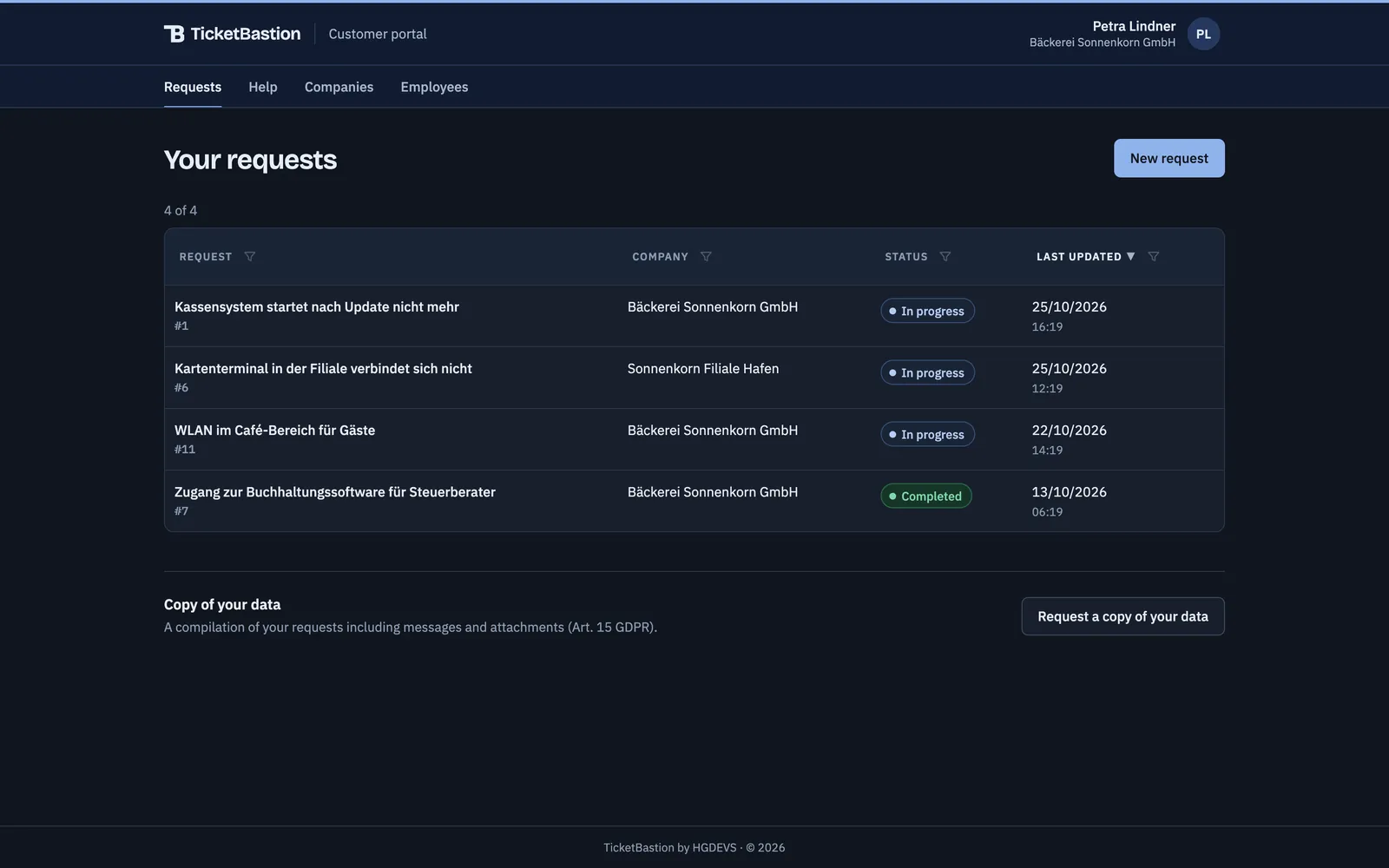
Customers see their requests and where they stand, raise new ones and read wiki articles you have released. A customer admin also sees the tickets of their branches and requests a copy of their data under Art. 15 GDPR themselves.
Wiki and AI
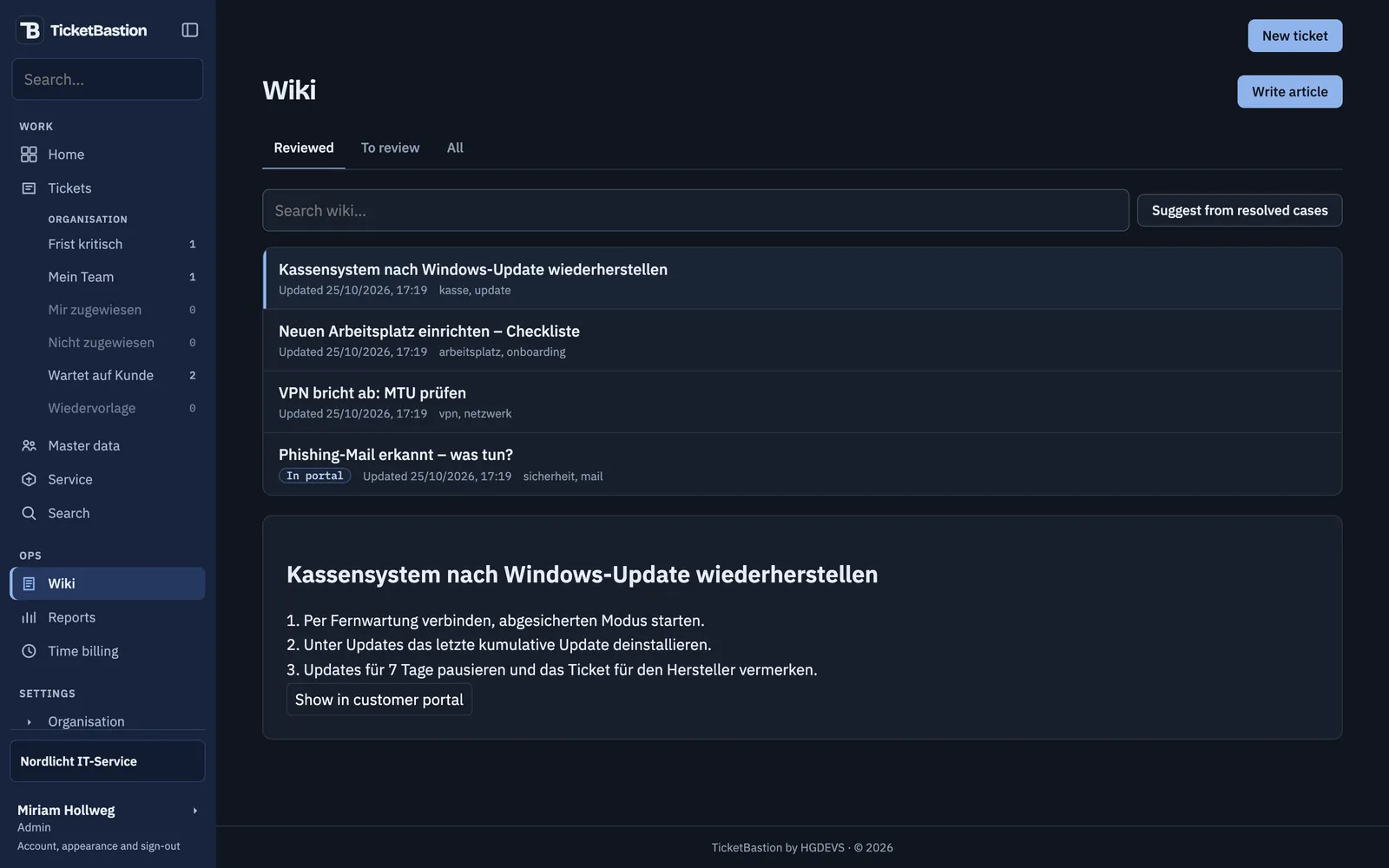
Solved cases become wiki articles, for the portal too if you wish. The AI drafts replies and articles from the ticket history, a technician checks and sends. It runs in Germany.
As many mailboxes as you need, over IMAP and SMTP or Exchange Online. Technicians can reply with their own sender address.
Start the clock on the ticket or add time afterwards. Approved time goes to Clockodo, with one account per organisation.
NinjaOne and octoja supply the devices. The ticket shows the affected device, with a direct link into NinjaOne, TeamViewer or RustDesk.
When two firms work for the same customer, one grants the other access to its tickets, as far as it decides. Each books its time on its own side.
Your own host names, logo, colours, sender name and signature. Sign-in, portal and emails carry your name.
Sign-in with Microsoft Entra ID, user sync from Entra and notifications in the Teams feed.
Volume, SLA compliance, response times and working time per customer and team, ready to export.
The interface uses the same API you can call with your own tokens. Webhooks report events to your systems.
Security and data protection
The application, the database and attachments are hosted by Hetzner in Germany, the attachments in Object Storage in Nuremberg.
FORCE ROW LEVEL SECURITYEvery table is under PostgreSQL row level security. The database only returns rows of the organisation a request runs for, even if a filter is missing in the code.
A password is always followed by a second factor, from an authenticator app or a passkey. Or sign-in runs through Microsoft Entra ID.
The audit log records who changed what. Closed tickets are deleted with their attachments once the period you set has passed.
The AI suggestions run on the Hetzner Inference API in Germany. Your data does not leave the country for them, and according to the provider neither requests nor responses are stored.
Your customers request the compilation of their data in the customer portal themselves. You do not have to collect anything by hand.
Pricing
Excluding VAT. Every feature for one price, no plans and no limits on mailboxes, customers or tickets. An admin counts as a technician, customer portal accounts are free.
With 6 technicians you pay €30 a month, excluding VAT.
Pricing in detailGetting started
Enter your company name, your name and your business address, then confirm the link in the email. We do not ask for payment details.
You are admin of your own organisation with customers, tickets with email threads, SLAs, time and devices. The trial runs for 14 days.
If you carry on, we clear the samples away. You connect your mailboxes, import your customers with their domains from a CSV file and invite your team.
Questions
The trial account is your own organisation with customers, tickets with email threads, SLAs, time and devices. Rather walk through it with someone? Our sales team will show you the demo.
14 days, no payment details. The trial ends on its own.